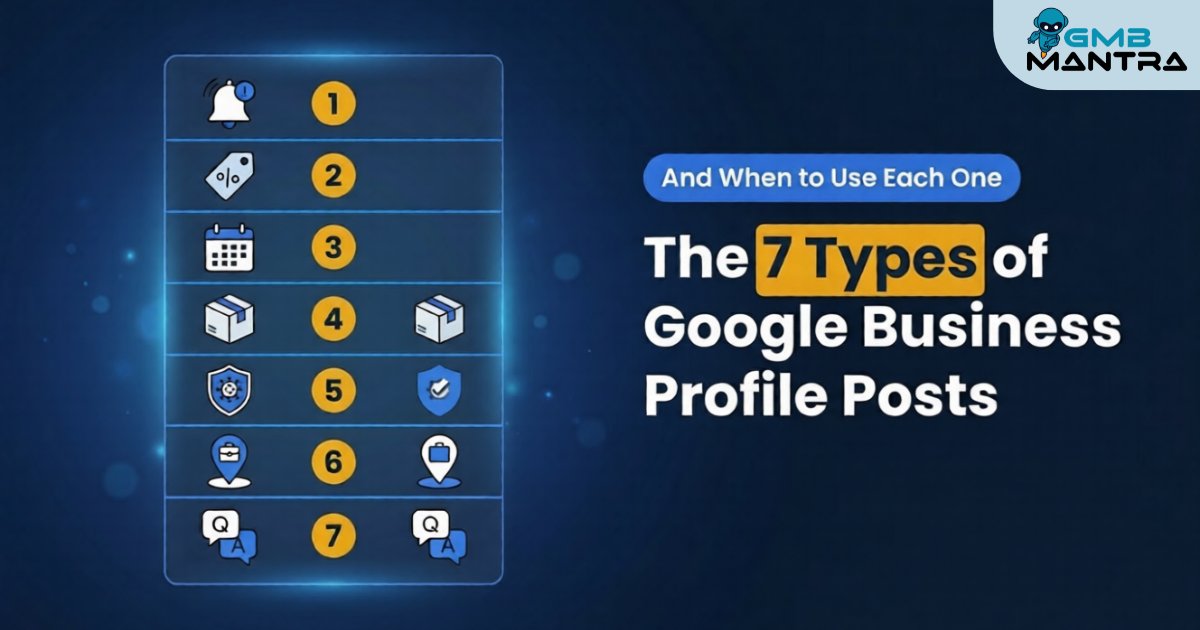
The 7 Types of Google Business Profile Posts (And When to Use Each One)
I was staring at a client's GBP dashboard last quarter—a well-reviewed bakery in Austin—and their posts tab was a graveyard. Two generic "We're open!" updates from months ago, both with stock photos cropped so badly the text was unreadable on mobile. Meanwhile, their competitor three blocks away was pulling 2x the calls with half the reviews. The difference? Post strategy. That's it.
By the end of this guide, you'll know exactly which GBP post type to deploy for every business scenario—and the specific execution details that separate profiles generating calls from profiles collecting dust.
What You Need Before Posting a Single Thing
Before you touch that "Add update" button, lock these down:
- A fully optimized GBP profile. Categories set (1 primary + 2-3 secondaries), services listed, attributes filled. Posts on a half-built profile are wasted effort.
- A media library. At least 10 geo-tagged photos at 1200x900px (4:3 aspect ratio). No stock images.
- One clear goal per post. Calls? Bookings? Foot traffic?
Stop/Go test: Can you name your primary GBP category and your top-performing service in one breath? If not, run a profile audit first.
The 7 GBP Post Types—And Exactly When Each One Earns Its Keep
1\. The "What's New" Update Post
This is your workhorse. Think of it as your GBP status update—team wins, behind-the-scenes shots, community involvement.
When to use it: Weekly, as your baseline content rhythm. It sends freshness context signals to Google's algorithm.
How to execute:
- Write 150-300 characters. Front-load the value—Google truncates aggressively on mobile.
- Attach a geo-tagged photo (proof of work shots like before/afters crush generic imagery here).
- Add a CTA button: "Call now" or "Learn more."
Visual checkpoint: After publishing, your post appears in the profile's "Posts" tab. On mobile search, it should render below your business info with a crisp, full-frame image.
Verification: Search your business name in incognito within 24 hours. If the post appears in results, you're live. If it's buried, your categories might be misaligned.
Friction warning: 50%+ of Update posts get buried and never surface in search results. That's why you can't rely on this type alone—but skipping it entirely kills your freshness signals.
2\. The Offer Post
This is your conversion machine. Time-boxed discounts, seasonal deals, first-time customer incentives.
When to use it: During promotions, slow periods, or when you need a measurable spike in calls. Offer posts drive up to 2x the calls compared to standard Updates.
How to execute:
- Set a clear start and end date. Time boxes like "Ends Friday" create urgency without feeling desperate.
- Use call-to-reserve offers instead of browse offers—they outperform by roughly 2x in conversions.
- Include the offer code or redemption details directly in the post body.
Visual checkpoint: Published Offer posts render with a "View offer" CTA and display the expiration date prominently. In the local 3-pack, you'll sometimes see a red "Limited time" badge.
Verification: Click your own CTA button in preview. Does it dial, map, or link correctly? If not, rewrite.
3\. The Event Post
Events are your secret weapon for the local 3-pack on time-sensitive searches. Workshops, grand openings, seasonal events, webinars—anything with a date.
When to use it: Whenever you have a specific date-bound happening. Even a "Free Consultation Week" counts.
- Title the event with your service + location (e.g., "Free Roof Inspection Day – North Dallas").
- Set start/end dates and times.
- Include a direct booking or RSVP link as your CTA.
Visual checkpoint: Event posts display with date/time formatting and a countdown element in search.
Verification: If you're not seeing RSVP clicks after 48 hours, add urgency language—"Only 12 spots" or "Ends Friday."
4\. The Product Post
For businesses with physical or clearly defined products. Google gives these their own tab on your profile.
When to use it: When you want persistent, category-organized product visibility. These don't expire like other post types.
- Add product name, category, price, and description.
- Use a clean product photo—white background or in-context lifestyle shot, always at 1200x900px.
- Link to the product page on your website.
Visual checkpoint: Products appear in a dedicated "Products" tab with thumbnail grid layout.
Verification: Check the tab on mobile. If images are cropped or blurry, you've got a dimension problem. Pre-crop to exactly 4:3 before uploading.
5\. The Service Highlight Post
This isn't a standalone post type in the GBP dashboard—it's a strategic use of the "What's New" format specifically built around a single service.
When to use it: Rotate through your service list. One service per post, one post per week minimum. This reinforces your custom services in GBP and acts as niche reinforcement for long-tail searches.
- Name the specific service in the first line.
- Include a proof of work photo (completed project, happy client, process shot).
- Link the post CTA to the relevant service page.
Visual checkpoint: The post should reference a service that's already listed in your GBP Services tab. If it's not there, add it first—otherwise Google can't connect the dots.
Verification: Search "\[your service\] near me" in incognito. If your profile appears with the post visible, the connection is working.
6\. The Social Proof / Review Spotlight Post
Use the Update format to amplify your best reviews. Screenshot a 5-star review (with permission), add context, and post it.
When to use it: After receiving a standout review, or when review velocity slows and you need to remind prospects that people love you.
- Pair the review text with a photo of the actual job or client interaction.
- Keep commentary brief: "This is why we do what we do" hits harder than a paragraph.
Verification: Check GBP insights 48 hours post-publish. If views exceed 10% of your profile traffic, it's resonating. If not, iterate with a different review or add a time box offer alongside it.
7\. The FAQ / Educational Post
Another strategic use of the Update format—answer one common customer question per post.
When to use it: When your call staff keeps answering the same questions, or when you want to rank for informational local queries.
- Lead with the question as the first line.
- Answer in 2-3 sentences. Be specific. Include pricing ranges or timelines if relevant.
- CTA: "Call us to discuss your situation."
Verification: Monitor if the post generates direction requests or website clicks. Educational content builds trust slowly—give it 2-4 weeks of consistent posting before judging.
The Ugly Truth: What Actually Goes Wrong
Problem | The Weird Fix | Source |
|---|---|---|
Posts not appearing in search | Stack 2-3 hyper-relevant GBP categories + geo-tag every image; repost weekly with variations | |
Images cropped or blurry on mobile | Pre-crop to exactly 1200x900px (4:3); test on device preview before publishing | Practitioner forums |
Updates get buried under reviews | Pivot to Offer/Event hybrid formats—they pin higher in profiles | Community testing |
No call spike from any post type | Switch vague CTAs to "Call to reserve—today only"; A/B test manually | Conversion case studies |
Posts disappear after 7 days | Normal behavior. Schedule weekly refreshes to maintain context signals | GBP documentation |
60% of businesses post less than once a month. 70% of profiles have zero active posts. The bar is genuinely low—which means consistent execution is your competitive moat.
> Tired of Managing All This Manually? If you're running multiple locations or just don't want to spend hours in the GBP dashboard every week, GMBMantra handles post scheduling, photo management, review analytics, and response templates from a single dashboard. We built it because managing this stuff across even 3-4 locations was eating entire afternoons. It's the logical next step once your posting strategy is dialed in.
Frequently Asked Questions
How often should I post on Google Business Profile?
Post at minimum 2x per week. Frequent posting boosts local pack visibility by 20-30% over inactive profiles. Mix Offers and Updates—don't rely on one format. Consistency matters more than perfection. Schedule posts in advance using tools like GMBMantra's post scheduler to maintain rhythm.
Why do my GBP posts keep disappearing?
GBP posts have a natural visibility window of 7-30 days. This isn't a bug. Schedule weekly refreshes to maintain freshness signals. Event and Offer posts with set dates persist until expiration, making them more durable than standard Updates.
What image size works best for GBP posts?
Use 1200x900px images in 4:3 aspect ratio. Blurry or poorly cropped images reduce engagement by up to 40% on mobile—where 90% of local searches happen. Always preview on a phone before publishing. Geo-tag every photo for hyper-local relevance.
How long before I see results from GBP posting?
Expect initial visibility within 24-48 hours. Meaningful ranking movement takes 2-4 weeks. Sustained local 3-pack gains and a 20-30% lift in calls typically require 1-3 months of 2x/week consistency. This compounds—don't quit after two weeks.
Can I automate GBP posts across multiple locations?
Yes. Manual posting across locations doesn't scale. Platforms like GMBMantra offer bulk scheduling, review management and analytics, and reputation protection so you're not copy-pasting the same post into 15 different dashboards.
So here's the real question: which of these 7 post types are you not using right now—and what's it costing you in calls you'll never know you missed?





