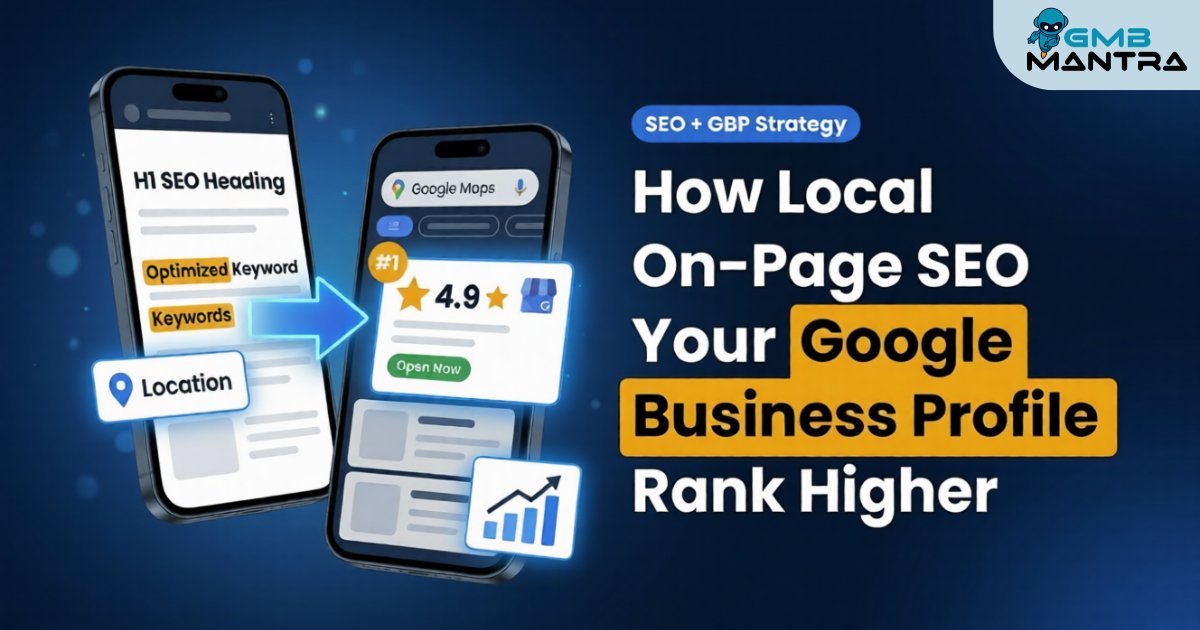
How Local On-Page SEO Helps Your Google Business Profile Rank Higher
I still remember the day I got a frantic call from Sarah, a café owner in Portland. "I've spent months perfecting my Google Business Profile," she said, frustration evident in her voice. "I've got great photos, I respond to every review, my hours are always updated. But my competitor down the street—who barely touches their profile—keeps showing up higher in local searches. What am I doing wrong?"
Here's what Sarah didn't realize: her Google Business Profile was only half the equation. She'd been so focused on optimizing her GBP that she'd completely ignored the website behind it. Her homepage had no mention of Portland neighborhoods, her service pages were generic templates, and Google had no idea which local searches her business should actually rank for. It's like showing up to a job interview with a perfect resume but forgetting to actually talk about your qualifications during the conversation.
This is the gap I see constantly—business owners treating their Google Business Profile and their website as separate entities when they're actually two sides of the same coin. In this guide, I'm going to show you exactly how local on-page SEO on your website directly impacts your Google Business Profile rankings, and more importantly, how to make both work together to dominate your local search results.
What Exactly Is Local On-Page SEO and Why Should You Care About It?
Local on-page SEO is the practice of optimizing the content and HTML elements on your website to help search engines understand where you're located and what local searches you should rank for. Think of it as teaching Google's algorithm to connect your business with the people in your area who are actively looking for what you offer.
Here's the thing most people miss: your Google Business Profile doesn't exist in a vacuum. When someone searches for "best coffee shop near me," Google doesn't just look at your GBP listing. It cross-references that listing with your actual website to verify you're legitimate, relevant, and trustworthy. According to Whitespark's 2024 Local Search Ranking Factors, on-page signals from your website account for roughly 20% of local pack ranking factors—that's huge.
Your website serves as the foundation that either reinforces or contradicts what your Google Business Profile claims. When both tell the same story with consistent information and location-specific content, Google gains confidence. When they don't match? Google gets confused, and confused algorithms don't rank you highly.
How Does Local On-Page SEO Actually Work With Your Google Business Profile?
Local on-page SEO works by creating a web of signals across your website that confirm and amplify the information in your Google Business Profile. Let me break this down with a real example.
When you optimize your website's title tags, headers, and content with geographic keywords (like "Brooklyn plumber" or "Denver wedding photographer"), you're essentially telling Google: "Yes, this business really serves this specific area." When that matches your GBP location, Google sees consistency. When you add structured data markup (schema) to your website with your business name, address, and phone number, you're giving Google machine-readable confirmation of your GBP details.
Here's how the synergy works in practice:
- Your GBP lists your business address as "123 Main Street, Austin, TX"
- Your website footer displays the same NAP (Name, Address, Phone) information
- Your homepage title tag includes "Austin" and your service
- You have a dedicated "Areas We Serve" page mentioning specific Austin neighborhoods
- Your blog posts reference local landmarks and community events
- Your schema markup confirms all this data in structured format
Each of these elements reinforces the others. According to BrightLocal's 2023 Local Consumer Review Survey, businesses with consistent NAP information across their website and GBP saw ranking improvements of over 50% compared to those with inconsistencies.
The key ranking signals your website sends to boost your GBP:
- Geographic relevance through location-specific keywords
- Authority signals through quality local content
- Verification through consistent NAP data
- Topical relevance through service-specific pages
- Trust signals through user experience and mobile optimization
What Are the Main Benefits of Optimizing Both Your Website and GBP Together?
I learned this lesson the hard way when I was consulting for a dental practice that had invested thousands in a beautiful website but couldn't figure out why they weren't getting local traffic. Their GBP was optimized, but their website made zero mention of their city or neighborhoods. Once we added location-specific content and aligned their on-page SEO with their GBP, their local pack visibility increased by 40% within six weeks.
The benefits of this integrated approach include:
Amplified local visibility: When your website and GBP work together, you can appear in both the local map pack AND the organic results below it. That's double the real estate on page one. I've seen businesses capture both positions for the same search term, essentially owning that query.
Improved click-through rates: A well-optimized website preview beneath your GBP listing makes your business look more legitimate. People are more likely to click when they see a professional website backing up your profile.
Better conversion rates: When someone clicks from your GBP to your website and finds consistent information with clear local relevance, they trust you more. According to Search Engine Journal, businesses that maintain NAP consistency see up to 85% improvement in customer response time because potential customers can easily find and contact them.
Protection against competitors: If your competitor has a strong website but weak GBP, or vice versa, you can outrank them by excelling at both. You're essentially fighting on two fronts instead of one.
Long-term ranking stability: GBP rankings can fluctuate based on proximity and real-time factors, but strong on-page SEO provides a stable foundation that keeps you visible even when the algorithm shifts.
The drawback? It takes more work. You can't just set up your GBP and forget about your website. But honestly, that extra effort is what separates businesses that dominate local search from those that just participate in it.
When Should You Prioritize Local On-Page SEO for Your GBP?
Not every business needs to attack this with the same urgency. Let me share when this becomes critical versus when you can take a more gradual approach.
You need to prioritize this NOW if:
- You're in a competitive local market (multiple businesses offering the same service in your area)
- Your GBP is fully optimized but you're still not ranking in the top three local pack results
- You have multiple locations and need to rank in different geographic areas
- You're a service-area business (you go to customers) and need to rank across multiple neighborhoods or cities
- Your website traffic is strong but you're not converting local visitors
- You've recently moved locations or expanded your service area
You can take a gradual approach if:
- You're the only business of your type in your immediate area
- You're brand new and need to get your GBP set up first before tackling website optimization
- You have a limited budget and need to phase your efforts
- Your current website traffic and lead flow meets your business goals
Here's my honest take: even if you're in the "gradual" category, don't ignore your website entirely. At minimum, make sure your NAP is consistent and your homepage mentions your city. Those two things take 15 minutes and can make a significant difference.
I worked with a real estate agent who thought she didn't need to worry about her website because she was the only agent in a small town. Then a competitor moved in and immediately started a blog with neighborhood guides and market updates. Within three months, that competitor was outranking her for searches she used to own. Don't wait until you have competition to build your foundation.
The Core Ranking Factors That Connect Your Website to Your GBP
Google's local search algorithm evaluates businesses based on three primary factors: relevance, proximity, and prominence. Your website plays a crucial role in two of these three pillars, and understanding this connection is the key to making your optimization efforts actually work.
Relevance: Teaching Google What You Do and Where You Do It
Relevance is about how well your business matches what someone is searching for. When someone types "emergency plumber in Chicago," Google needs to determine which plumbers are most relevant to that specific query.
Your Google Business Profile tells Google you're a plumber in Chicago. But your website? That's where you prove it with depth and detail. This is where most businesses leave opportunity on the table.
Here's what I've found works best for building relevance:
Service-specific landing pages: Instead of one generic "Services" page, create dedicated pages for each service you offer. A plumber should have separate pages for "Emergency Plumbing," "Water Heater Repair," "Drain Cleaning," etc. Each page should mention your city or service area naturally in the content.
I helped a landscaping company create individual pages for "Spring Cleanup," "Lawn Maintenance," and "Landscape Design"—all with their city name in the title tags. Within two months, they started ranking for long-tail searches they'd never appeared for before, like "landscape design services in Raleigh."
Location-specific content: If you serve multiple neighborhoods or cities, create pages for each one. Not thin, duplicate content—actually useful pages that mention local landmarks, explain how you serve that specific area, and include genuine local knowledge.
Keyword optimization in strategic places:
- Title tags: Your most important on-page SEO element. Format: "Primary Service | City, State | Business Name"
- H1 headers: Should include your service and location
- H2 and H3 subheadings: Naturally incorporate location and service variations
- First paragraph: Mention your location within the first 100 words
- Image alt text: Describe images with location context when relevant
One critical mistake I see constantly: keyword stuffing. Don't write "Chicago plumber Chicago plumbing services Chicago" all over your page. Google's algorithms are sophisticated enough to understand context and synonyms. Write naturally for humans first, then check that you've included your key location terms in strategic places.
Prominence: Building Authority Through Your Website
Prominence is essentially Google's measure of how well-known and trusted your business is. While reviews are a huge component of this (accounting for about 16% of local ranking factors according to Moz's Local Search Ranking Factors), your website contributes significantly to your prominence signals.
Your website builds prominence through:
Quality backlinks: When other reputable local websites link to yours, it signals to Google that you're an established, trustworthy business. A link from your local chamber of commerce, a feature in a local news site, or mentions on local resource directories all contribute to prominence.
I once helped a family-owned bakery get featured in a "Best Local Bakeries" article on a popular city blog. That single backlink, combined with the traffic it generated, resulted in a noticeable ranking boost in their local pack position within two weeks.
Local citations: These are mentions of your business name, address, and phone number on other websites—even without a direct link. The key is consistency. Every citation should match your GBP and website exactly. According to Whitespark's research, consistent citations across directories can improve your local ranking chances by over 50%.
Content depth and expertise: Regularly updated, helpful content signals that your business is active and knowledgeable. Blog posts about industry topics, how-to guides, and local community content all contribute to your site's authority.
User engagement metrics: While not a direct ranking factor, when people spend time on your website, visit multiple pages, and don't immediately bounce back to Google, it sends positive signals about your site's quality and relevance.
Proximity: The One Factor Your Website Can't Control (But Can Optimize Around)
Proximity is simply how close your business is to the searcher. If someone in downtown Denver searches "coffee shop near me," Google will prioritize coffee shops in downtown Denver over those in the suburbs—assuming all other factors are equal.
You can't change your physical location (well, you could move, but that seems extreme), but you can optimize your website to maximize your proximity advantage or compensate for proximity disadvantages.
If you have a physical location customers visit:
Make sure your address is prominently displayed on your website, ideally in the footer of every page. Add an embedded Google Map showing your location. This reinforces your proximity for nearby searchers and helps Google verify your GBP address.
If you're a service-area business (you go to customers):
This is where your website becomes even more critical. Create comprehensive "Areas We Serve" or "Service Area" pages that list every city, neighborhood, or zip code you cover. Don't just list them—write a paragraph or two about serving each area.
I worked with an HVAC company that served 15 different towns. We created a dedicated page for each town with content like: "We've been providing heating and cooling services to [Town Name] residents since 2010. Our technicians are familiar with the common HVAC challenges in [Town Name]'s [mention something specific about the area—climate, housing types, etc.]."
This approach helped them rank in the local pack for searches from all 15 towns, not just their primary business address location.
How to Optimize Your Website's On-Page Elements for Local SEO
Alright, let's get practical. I'm going to walk you through the specific on-page elements you need to optimize, in order of impact. I've done this dozens of times, and I can tell you exactly where to focus your energy for the biggest results.
Step 1: Nail Your NAP Consistency
NAP stands for Name, Address, Phone number. This sounds stupidly simple, but it's where I see the most problems. Your NAP must be identical everywhere it appears: your website, your GBP, your Facebook page, Yelp, industry directories—everywhere.
Common NAP consistency mistakes I've fixed:
- Using "Street" on your website but "St." on your GBP
- Listing a suite number on one platform but not others
- Using a tracking phone number on your website but your main number on GBP
- Spelling out "Avenue" versus abbreviating "Ave."
- Including or excluding your LLC/Inc. designation inconsistently
Here's what to do:
- Choose your canonical NAP format. Decide exactly how you'll write your business name, address, and phone number. Write it down.
- Add it to your website footer. Your NAP should appear on every page of your website, typically in the footer. Format it with proper HTML markup (I'll cover schema in a minute).
- Create a dedicated contact page. Include your NAP prominently, along with an embedded Google Map and your business hours.
- Audit everywhere else. Check every directory, social profile, and citation. Update any that don't match your canonical format.
This tedious work pays off. I had a client who'd been stuck at position #4 in the local pack for months. We discovered their address was formatted differently across 23 different directories. After cleaning those up, they jumped to #2 within three weeks.
Step 2: Optimize Your Title Tags and Meta Descriptions
Your title tag is the single most important on-page SEO element. It appears as the blue clickable link in search results, and it's Google's primary signal for understanding what each page is about.
For your homepage:
Format: [Primary Service] in [City, State] | [Business Name]
Example: Emergency Plumbing Services in Austin, TX | Smith & Sons Plumbing
For service pages:
Format: [Specific Service] | [City/Area] | [Business Name]
Example: Water Heater Repair | Austin & Round Rock | Smith & Sons Plumbing
For location pages:
Format: [Service] in [Specific Location] | [Business Name]
Example: Plumbing Services in Round Rock, TX | Smith & Sons Plumbing
Keep title tags under 60 characters so they don't get cut off in search results. Every title should be unique—no duplicates across your site.
Meta descriptions don't directly impact rankings, but they influence whether people click your result. Write compelling 150-160 character descriptions that include your primary keyword and location, plus a clear value proposition or call-to-action.
Example: Need a plumber in Austin fast? Smith & Sons offers 24/7 emergency service with upfront pricing. Licensed, insured, and trusted since 1995. Call now!
Step 3: Structure Your Content With Header Tags
Headers (H1, H2, H3, etc.) organize your content and signal to Google what each section is about. Every page should have exactly one H1 tag—think of it as the page's headline.
H1 best practices:
- Include your primary keyword and location
- Make it descriptive and compelling for humans
- Keep it under 70 characters
Example: Trusted Plumbing Services in Austin, TX
H2 and H3 tags should break up your content into scannable sections. Naturally incorporate location terms and service variations in some (not all) of these subheadings.
I see businesses either ignore headers completely or stuff every single one with keywords. Neither works. Use headers to actually organize your content logically, and work in location terms where they make natural sense.
Step 4: Create Location-Specific Content That Actually Helps People
This is where you can really differentiate yourself from competitors. Most businesses create thin, generic location pages that Google sees right through. Instead, create genuinely useful content that demonstrates local expertise.
What to include on location-specific pages:
Proof you actually serve that area: "We've been providing [service] to [neighborhood/city] residents since [year]. Our team knows the unique challenges of [something specific about that area]."
Local landmarks and context: Mention recognizable places. "We're located just five minutes from [local landmark]" or "We serve homeowners throughout the [neighborhood name] area, from [street] to [street]."
Area-specific information: If you're a roofer, mention common roofing issues in that area's climate. If you're a real estate agent, discuss neighborhood characteristics. This proves you're not just copy-pasting generic content.
Genuine photos: Include pictures of your team working in that area, your vehicles in front of recognizable locations, or completed projects in that neighborhood (with permission).
Customer testimonials from that area: "Here's what [Name] from [neighborhood] said about our service..."
I helped a pest control company create neighborhood-specific pages that discussed the particular pest challenges in each area (termites in older neighborhoods with mature trees, ants in newer developments, etc.). These pages started ranking for hyper-local searches and became their best converting landing pages.
Step 5: Implement Schema Markup (Don't Skip This)
Schema markup is structured data code you add to your website that helps search engines understand your content. It's like giving Google a cheat sheet about your business.
For local businesses, the most important schema types are:
LocalBusiness schema: Includes your business name, address, phone, hours, and business type. This should be on every page, typically in your footer.
Service schema: Describes the services you offer and the areas you serve.
Review schema: Displays your star rating in search results (those gold stars you see under some listings).
You can generate schema markup using Google's Structured Data Markup Helper or Schema.org. If you're on WordPress, plugins like Yoast SEO or Rank Math can add basic schema for you.
Here's why this matters: I tested adding comprehensive LocalBusiness schema to a client's website, and within two weeks, their GBP listing started showing richer information in search results. Google was pulling verified data directly from their schema markup.
Step 6: Optimize for Mobile (This Is Non-Negotiable)
According to Google's own data, 76% of people who search for something nearby on their smartphone visit a business within 24 hours. If your website isn't mobile-friendly, you're losing those customers to competitors.
Mobile optimization checklist:
- Responsive design: Your site must automatically adjust to any screen size
- Fast loading speed: Aim for under 3 seconds. Use Google PageSpeed Insights to test
- Large, tappable buttons: Make your phone number and "Get Directions" buttons big and easy to tap
- Click-to-call phone numbers: Format phone numbers so mobile users can tap to call instantly
- Simplified navigation: Mobile menus should be simple and intuitive
- Readable text: No tiny fonts that require zooming
I've seen businesses with beautiful desktop websites that are nearly unusable on mobile. When we fixed mobile usability issues for a home services client, their mobile conversion rate jumped from 2.1% to 5.8% in one month. Don't neglect this.
Step 7: Build Internal Links Between Related Pages
Internal linking is an underutilized local SEO tactic. By linking between related pages on your website, you help Google understand your site structure and distribute ranking authority across your pages.
Internal linking strategies that work:
Link from your homepage to your most important service and location pages. Link from service pages to relevant location pages (and vice versa). Link from blog posts to relevant service pages. Create a "Areas We Serve" page that links to individual location pages.
Use descriptive anchor text that includes location and service terms. Instead of "click here," use "learn more about our plumbing services in Round Rock."
I helped a dental practice create internal links between their services pages ("dental implants," "teeth whitening") and their locations pages (different office locations). This simple change helped individual service pages rank in the local pack for nearby searches, not just their homepage.
What Mistakes Should You Avoid With Local On-Page SEO?
I've seen (and honestly, made) a lot of mistakes over the years. Let me save you some pain by highlighting the biggest pitfalls.
Mistake #1: Keyword Stuffing Your Location
This is the most common error. Businesses think mentioning their city 47 times on one page will help them rank. It won't. It'll make your content unreadable and can actually trigger Google penalties.
Bad example: "Welcome to Austin plumbing, the best Austin plumber in Austin, Texas. Our Austin plumbing services serve all of Austin..."
Good example: "Welcome to Smith & Sons Plumbing, Austin's trusted plumbing service since 1995. We serve homeowners throughout the greater Austin area, from downtown to Cedar Park."
Mention your location naturally throughout your content, but write for humans first. If it sounds awkward when you read it aloud, rewrite it.
Mistake #2: Creating Duplicate Location Pages
If you serve multiple locations, don't just copy-paste the same content and swap out city names. Google can detect duplicate content, and it won't rank multiple pages with essentially identical content.
Each location page needs unique content. Yes, this takes more work. No, there's not a shortcut. Write different content for each area, include area-specific details, and make each page genuinely useful.
Mistake #3: Ignoring Page Speed
A slow website kills your local SEO in multiple ways. Users bounce before your page loads, which sends negative signals to Google. Mobile users especially have no patience for slow sites.
Common speed killers:
- Huge, unoptimized images (compress images before uploading)
- Too many plugins (if you're on WordPress)
- Cheap, slow hosting (invest in decent hosting)
- Not using browser caching
- Loading unnecessary scripts
Use GTmetrix or Google PageSpeed Insights to identify what's slowing down your site. Even improving your load time from 5 seconds to 3 seconds can significantly impact your bounce rate and rankings.
Mistake #4: Forgetting About Content Freshness
A website that hasn't been updated since 2019 doesn't inspire confidence. Google also considers content freshness as a ranking signal, especially for competitive queries.
You don't need to blog every day, but you should:
- Update your service pages at least annually
- Add new content quarterly (blog posts, case studies, FAQs)
- Keep your business information current (hours, services, pricing if applicable)
- Remove outdated information
I had a client who wondered why they weren't ranking well. Their website still advertised a "2018 New Customer Special" and their blog's last post was from 2017. Updating their content and adding regular blog posts helped their rankings considerably.
Mistake #5: Not Linking Your Website and GBP Together
Your Google Business Profile should link to your website, and your website should link back to your GBP (through Google Maps embeds and review widgets). These connections reinforce the relationship between the two.
Add a Google review link to your website encouraging customers to leave reviews. Embed your Google Map on your contact page. Link to your GBP from your website footer.
Mistake #6: Using Generic, Non-Local Content
If your website could be for a business in any city, you're missing the point. Your content should demonstrate genuine local knowledge and connection to your community.
Mention local events, sponsor local organizations, discuss local industry news, reference neighborhood names and landmarks. Show that you're a real local business, not a national chain or a fake local presence.
Advanced Strategies: Taking Your Local On-Page SEO to the Next Level
Once you've got the basics covered, these advanced tactics can give you an edge over competitors who stopped at the fundamentals.
Strategy #1: Create Hyper-Local Content Hubs
Instead of just having location pages, create content hubs around specific neighborhoods or districts. Include:
- A main neighborhood guide page
- Service-specific pages for that neighborhood
- Blog posts about local topics
- Local customer case studies
- Embedded Google Maps showing your work in that area
I worked with a home remodeling company that created comprehensive neighborhood guides for the top 10 neighborhoods they served. Each guide included typical home styles in that neighborhood, common remodeling challenges, before-and-after projects from that area, and local permit information. These guides became their top-performing pages and started ranking for all kinds of related searches.
Strategy #2: Optimize for "Near Me" Searches
"Near me" searches have exploded. To capture these:
- Include phrases like "near you," "nearby," "close to," and "in your area" naturally in your content
- Create FAQ pages answering "Where is [your business type] near me?"
- Optimize for voice search by using conversational question phrases
- Ensure your location information is crystal clear on every page
Strategy #3: Leverage Video Content With Local Context
Video is increasingly important for local SEO. Create videos showing:
- Your team at work in specific locations
- Tours of your business location
- Customer testimonials (with permission) mentioning their neighborhood
- Local event participation or sponsorships
Upload these to YouTube with location-specific titles, descriptions, and tags, then embed them on relevant website pages. YouTube videos can also appear in local search results, giving you additional visibility.
Strategy #4: Build Topic Clusters Around Your Services
Instead of isolated service pages, create comprehensive content clusters:
- A pillar page covering a broad service topic
- Multiple supporting pages covering specific aspects
- Blog posts addressing related questions
- All internally linked together
For example, a dentist might have:
- Pillar page: "Cosmetic Dentistry in [City]"
- Supporting pages: "Teeth Whitening," "Veneers," "Dental Bonding"
- Blog posts: "How Long Do Veneers Last?", "Is Teeth Whitening Safe?", "Cost of Cosmetic Dentistry in [City]"
This structure signals to Google that you're a comprehensive authority on that topic in your area.
Strategy #5: Optimize for Local Voice Search
Voice searches are typically longer and more conversational than typed searches. Optimize for these by:
- Creating FAQ pages with natural question-and-answer formats
- Using conversational language in your content
- Focusing on long-tail keywords that sound like spoken questions
- Ensuring your business information is easily accessible for voice assistants
How to Measure If Your Local On-Page SEO Is Working
You can't improve what you don't measure. Here's what to track to know if your efforts are paying off.
Key Metrics to Monitor
Local pack rankings: Track where you rank in the Google Maps/local pack results for your target keywords. Tools like BrightLocal or GMB Everywhere can help track this.
Organic search visibility: Monitor your website's rankings for location-specific keywords. Google Search Console shows you which queries are driving traffic to your site.
Website traffic from local searches: In Google Analytics, check geographic reports to see where your traffic is coming from. Are you getting visitors from your target locations?
GBP insights: Your Google Business Profile dashboard shows how many people found you through search vs. maps, what actions they took (website clicks, direction requests, phone calls), and what search terms triggered your listing.
Conversion metrics: Ultimately, what matters is whether your local SEO is driving actual customers. Track:
- Phone calls from your website
- Contact form submissions
- Direction requests
- Appointment bookings
Review velocity and ratings: Monitor how many reviews you're getting and your average rating over time. More positive reviews typically correlate with better rankings.
Tools I Actually Use
Free tools:
- Google Search Console: Shows what queries drive traffic to your site
- Google Analytics: Tracks website traffic, user behavior, and conversions
- Google Business Profile Insights: Shows how customers find and interact with your GBP
- Google PageSpeed Insights: Tests your website speed and mobile-friendliness
Paid tools worth considering:
- BrightLocal: Comprehensive local SEO tracking and citation management
- Whitespark: Citation building and local rank tracking
- SEMrush or Ahrefs: Keyword research and competitor analysis
You don't need every tool. Start with the free ones, and only invest in paid tools once you've maxed out what the free options can do.
Bringing It All Together: Your Action Plan
Okay, I've thrown a lot at you. Let me distill this into a practical action plan you can start implementing today.
If You're Just Getting Started (Week 1-2)
- Audit your NAP consistency across your website, GBP, and major directories. Fix any inconsistencies immediately.
- Optimize your homepage title tag, meta description, and H1 with your primary service and location.
- Add your NAP to your website footer with proper formatting.
- Create or update your contact page with your NAP, embedded Google Map, and business hours.
- Test your mobile experience. Pull out your phone right now and navigate your website. Is it easy to use? Can you tap to call quickly?
Building Your Foundation (Week 3-6)
- Create or optimize service pages with location-specific content and proper title tags/headers.
- Add LocalBusiness schema markup to your website (use a plugin if you're on WordPress).
- Build out your "Areas We Serve" page with genuine, unique content for each location.
- Add internal links between related pages on your website.
- Optimize your images with descriptive file names and alt text that includes location context where relevant.
Advancing Your Strategy (Ongoing)
- Create dedicated location pages for your top 3-5 service areas with unique, detailed content.
- Start a blog focused on local topics, how-to guides, and questions your customers actually ask.
- Build local citations by getting listed in relevant local directories and industry-specific sites.
- Generate and respond to reviews on your GBP and other platforms.
- Track your progress monthly using the metrics I outlined above, and adjust your strategy based on what's working.
Remember, local SEO is a marathon, not a sprint. You won't see dramatic results overnight, but consistent effort over 3-6 months will compound into significant improvements.
Frequently Asked Questions
How long does it take for local on-page SEO changes to affect my Google Business Profile ranking?
Typically, you'll start seeing movement within 2-4 weeks of making significant on-page changes, with more substantial improvements appearing over 2-3 months. Google needs time to recrawl your website, process the changes, and test your rankings. Quick wins like fixing NAP inconsistencies can show results faster, while building content authority takes longer.
Can I rank in multiple cities with one physical location?
Yes, but it's harder. If you're a service-area business that travels to customers, you can create dedicated location pages for each city or area you serve. However, you'll have an easier time ranking for areas closer to your actual business address. Being honest about your service area and creating genuinely useful, unique content for each location is key.
Do I need a separate website page for every neighborhood I serve?
Not necessarily. Focus on creating pages for your primary service areas first—typically 3-10 locations depending on your business size. You can mention additional neighborhoods in your "Areas We Serve" page without creating individual pages for each one. Quality over quantity wins here; ten excellent location pages will outperform fifty thin, duplicate pages.
Should my website address match my Google Business Profile address exactly?
Absolutely yes. Any discrepancy between your website and GBP address—even small formatting differences—can hurt your rankings. Use identical formatting for both, including how you abbreviate street types, whether you include suite numbers, and punctuation.
How often should I update my website content for local SEO?
At minimum, review and update your main service and location pages annually. Add new content (blog posts, case studies, FAQs) quarterly if possible. The more competitive your market, the more frequently you should be adding fresh content. Regular updates signal to Google that your business is active and your information is current.
Can I use the same content on my website and Google Business Profile?
You can use similar information, but don't copy-paste identical content. Your GBP description should be concise and focused on your core services and differentiators. Your website should expand on that with more detailed, comprehensive information. Think of your GBP as the elevator pitch and your website as the full conversation.
What's more important: optimizing my website or my Google Business Profile?
Both are critical and work together. If forced to prioritize, start with your GBP since it's quicker to optimize and has more immediate impact on local pack rankings. But don't neglect your website—it provides the foundation and authority that helps your GBP rank higher long-term. The businesses that dominate local search excel at both.
How do I optimize for voice search and "near me" queries?
Focus on conversational, question-based content. Create FAQ pages that answer specific questions your customers ask. Use natural language that mirrors how people actually speak. Ensure your NAP information is clearly displayed and marked up with schema. Make sure your business information is consistent across platforms since voice assistants pull from multiple data sources.
Should I hire an agency or can I do local on-page SEO myself?
If you're comfortable with basic website editing and have time to learn, you can absolutely do this yourself—especially the foundational elements. The strategies I've outlined don't require advanced technical skills. However, if you're not tech-savvy, are too busy to implement consistently, or operate in a highly competitive market, hiring a local SEO specialist or agency can be worth the investment. Just make sure they're transparent about their methods and avoid anyone promising instant results or guaranteed #1 rankings.
What's the biggest mistake businesses make with local on-page SEO?
The biggest mistake I see is treating their website and Google Business Profile as separate, unrelated entities. They optimize one but ignore the other, or worse, have inconsistent information between the two. The second biggest mistake is creating thin, generic content that doesn't demonstrate actual local knowledge or expertise. Google's algorithms are sophisticated enough to distinguish between genuine local businesses and those just trying to game the system with keyword-stuffed location pages.
Final Thoughts: The Compounding Effect of Integration
Here's what I want you to remember: your Google Business Profile and your website aren't competitors for your attention—they're partners in your local SEO strategy. Every improvement you make to one amplifies the effectiveness of the other.
Sarah, the café owner I mentioned at the beginning? Once we aligned her website with her GBP—adding Portland neighborhood names to her menu pages, creating a blog about local coffee culture, and ensuring her NAP was consistent everywhere—she finally broke into the top three local pack results. Within two months, she was outranking that competitor who'd frustrated her for so long. The difference wasn't that she worked harder on her GBP; it was that she made her website and GBP work together as a unified system.
The businesses winning at local search aren't necessarily doing one thing brilliantly—they're doing many things consistently well. They've optimized their GBP, yes, but they've also built websites that reinforce those optimization efforts with relevant, location-specific content, consistent information, and genuine local expertise.
Start with the fundamentals I've outlined: fix your NAP consistency, optimize your title tags and headers, create location-specific content that actually helps people, and make sure your website works flawlessly on mobile. Those foundational elements will get you 80% of the way there. The advanced strategies can come later, once you've mastered the basics.
And if you're feeling overwhelmed by the off-page elements—managing reviews, keeping your GBP updated, responding to questions, creating posts—tools like GMBMantra.ai can handle those ongoing management tasks automatically with AI, freeing you up to focus on the on-page optimization work that requires your unique local knowledge and expertise.
The local search landscape will keep evolving. Google will update its algorithm, new features will emerge, and best practices will shift. But the core principle remains constant: demonstrate to Google—through consistent information, relevant content, and genuine local expertise—that your business deserves to appear when people in your area search for what you offer.
Now stop reading and start optimizing. Your next customer is searching for you right now.
