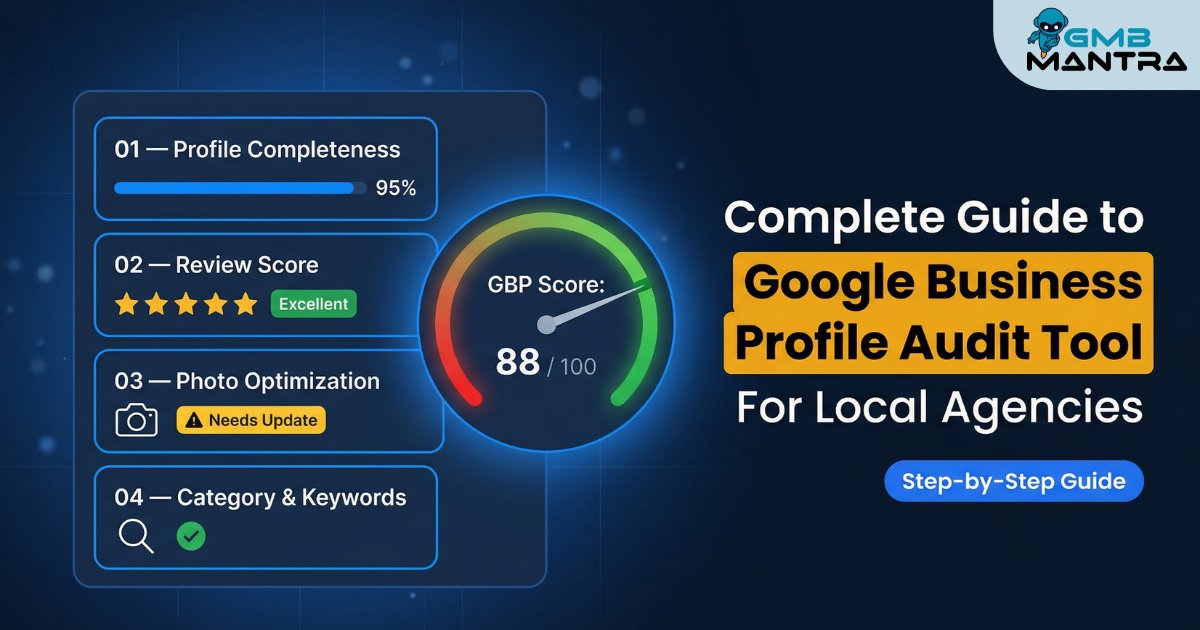
The Complete Guide to Google Business Profile Audit Tool For Local Agencies
---
I was staring at a spreadsheet with 34 Google Business Profiles, each one belonging to a different client, and I realized I couldn't tell you which ones were actually healthy. Some had photos from 2019. Others had a primary category that made zero sense. One dental practice was categorized as a "Medical Spa"—and nobody had caught it for eleven months.
That was the moment I stopped doing GBP audits manually.
If you're running a local agency—whether you're managing 5 profiles or 500—you already know the pain. The scattered data, the inconsistent NAP across citation sources, the clients asking why they dropped out of the local pack when "nothing changed." Something always changes. You just didn't see it.
This guide walks you through exactly how to choose, deploy, and actually get results from a google business profile audit tool for local agencies. Not theory. Not a feature comparison chart. The real workflow—including the ugly parts nobody talks about.
Here's what you'll be able to do by the end: Run a structured, repeatable GBP audit across every client profile in your agency, catch the silent errors that tank rankings, and know precisely which tool setup works at scale.
Before You Touch Any Tool: The Pre-Flight Check
I've seen agencies jump straight into audit tools without having their basics locked down. That's like running diagnostics on a car with no engine.
Here's what you need before you start:
- Owner-level access to every Google Business Profile you're auditing. Manager access won't cut it for certain edits, especially service area verification and category changes.
- A master spreadsheet of every client's Name, Address, Phone (NAP) exactly as it appears on their website. Not what you think it is. What it actually says.
- Your client's top 5 target keywords. If you don't have these, you can't run a meaningful competitor gap analysis or keyword audit report.
- Login credentials for at least one dedicated audit tool. Free browser extensions help for spot checks, but they won't scale past a handful of profiles.
The Stop/Go test: Can you pull up any client's GBP, their website NAP, and their target keywords in under 60 seconds? If yes, you're ready. If you're digging through email threads and shared drives, stop. Organize first.
Phase 1: Run the Baseline Audit (And Actually Understand the Score)
Most audit tools—BrightLocal, Localo, GMB Everywhere—will spit out a performance score within seconds. A number out of 100. It feels satisfying.
But here's what I've learned the hard way: a 67 performance score doesn't mean you're 33 points from perfect. It means the tool found gaps in categories, photos, attributes, or review signals relative to what's ranking above you. The score is directional, not diagnostic.
What to do:
- Import each client profile into your audit tool. If you're managing dozens of locations, use bulk import—Localo and BrightLocal both support this.
- Run the initial scan. You'll see a dashboard with sections for NAP consistency, categories, photos, reviews, posts, Q&A, attributes, and services.
- Look at the summary tabs per keyword. These show where you're falling short against the local search grid—typically the top 10 competitors for each target term.
Visual Checkpoint: You should see green checkmarks next to verified fields (NAP, phone, website URL) and red or amber flags on incomplete sections. If everything shows green but your client isn't ranking, that's a signal the tool's baseline thresholds are too loose. Don't trust a clean report blindly.
Verification: Manually search your client's top 3 keywords in incognito mode on Google Maps. If they're showing in the local pack, your baseline is solid. If they're buried on page two, the audit tool is telling you what to fix—you just need to prioritize.
Here's something most guides skip: tools flag "incomplete" profiles for things like special hours not matching the website. I've seen agencies burn hours "fixing" holiday hours that don't matter for ranking. Focus on what moves the needle—primary category match, photo volume, review velocity—not on clearing every amber flag.
Phase 2: The NAP Consistency Audit (Where 70% of Problems Hide)
This is the unsexy part. And it's the part that matters most.
Run a NAP consistency check across every citation source your tool can scan. I'm talking Yelp, Yellow Pages, Facebook, Apple Maps, Bing Places, industry directories—all of it. For agencies managing multi-location businesses, inconsistent NAP across citations is the single fastest way to trigger a ranking drop or, worse, a soft suspension.
The data backs this up: tools trusted with 44,000+ GBP profiles consistently show that NAP mismatches are present in the majority of underperforming listings. It's not a "nice to have" fix. It's the foundation.
What to do:
- Export the NAP audit results from your tool. You'll get a list of every citation source with match/mismatch flags.
- Prioritize the top 15 citation sources by domain authority. Fixing your listing on an obscure local directory matters less than getting Yelp and Facebook right.
- For each mismatch, update the citation to match the exact NAP on the client's website. Not "close enough." Exact. "123 Main St" and "123 Main Street" are different in Google's eyes.
Visual Checkpoint: After corrections, re-run the NAP scan. You should see 100% match indicators (green) across your priority citations. If any remain red, check whether the citation source requires manual verification or has a processing delay.
Verification: Spot-check NAP on 3 citation sites yourself. If all 3 match the website exactly, you're good. If even one is off, keep going.
The friction warning nobody mentions: Some citation sources take 2-6 weeks to process updates. Your tool might keep flagging mismatches during that window. Don't panic-edit. Set a calendar reminder to re-scan in 30 days.
Phase 3: Competitor Gap Analysis (Steal What's Working)
This is where audit tools earn their keep for agencies.
A side-by-side competitor gap analysis shows you exactly what the top-ranking profiles in your client's market are doing differently. And it's usually not subtle.
I ran one for a plumbing client last year. The top 3 competitors had 80+ photos each. My client had 12. They had "emergency plumbing" as a service with a keyword-rich description in the services editor. My client's services section was blank. The performance score gap wasn't mysterious—it was a photo and content deficit.
What to do:
- Select 3-5 top competitors from the local search grid for each target keyword.
- Compare: photo count, review count and average rating, number of Google Posts in the last 90 days, categories (primary and secondary), attributes, and services listed.
- Build a gap report per client. Flag every area where they're below the competitor median.
Visual Checkpoint: Your tool should display competitor profiles side-by-side with red flags highlighting where your client falls short. If your client has fewer than 50% of the competitor's photo count, that's an immediate upload priority.
Verification: If your client's profile matches or exceeds competitors across 4 of 6 key areas (photos, reviews, categories, services, posts, attributes), you're in strong shape. Below that, you have clear action items.
The detail that often gets missed: attributes optimization. Things like "wheelchair accessible," "free Wi-Fi," or "veteran-led" don't feel like ranking factors. But they show up in filtered searches, and the top performers almost always have 8-12 attributes filled out. Copy what the top 3 competitors are using, then test.
Phase 4: Reviews, Q&A, and the Engagement Signals That Erode Silently
Here's where the "silent killers" live.
Your client might have a 4.7-star rating with 200 reviews. Looks great on paper. But if their review response rate is below 50%, or if there are 15 unanswered questions in the Q&A section, trust signals are leaking. Slowly. Invisibly.
Run the review audit. Check quantity, recency, response rate, and sentiment. Tools like GMB Everywhere break this down nicely—you'll see average response time, percentage of reviews answered, and sentiment trends over time.
What to do:
- Flag any client with a review response rate below 90%. Set up templates for common response scenarios (positive, neutral, negative, spam).
- Check the Q&A section for unanswered queries. Even one unanswered question—especially a negative one—can sit there for months eroding perception.
- Audit post frequency. Top performers in most local verticals are publishing Google Posts weekly, mixing offers, events, and updates. If your client hasn't posted in 60+ days, that's a gap.
Visual Checkpoint: Your review audit dashboard should show response rate as a percentage and flag unanswered Q&As. Progress graphs tracking review velocity month-over-month will show whether momentum is building or stalling.
Verification: If review response rate is above 90%, average rating is 4.5+, and Q&A has zero unanswered questions, you're in the clear. Below those thresholds, prioritize bulk responses and Q&A seeding.
The ugly reality: unmonitored reviews and Q&A can lead to 20-40% engagement loss over time. That's not a number I'm pulling from thin air—it's consistent across practitioner reports from agencies managing large profile portfolios.
Phase 5: GBP Insights—Go Beyond Google's 6-Month Wall
Google's native Insights dashboard caps historical data at roughly 6 months. For an agency running quarterly or annual performance reviews, that's not enough.
This is where third-party tools become non-negotiable. BrightLocal and similar platforms can pull 18 months of GBP Insights data—clicks, calls, direction requests, photo views—giving you 30-50% more trend visibility than the native dashboard.
What to do:
- Pull 18-month Insights for every client.
- Look for seasonal patterns, month-over-month growth in calls and direction requests, and any sudden drops that correlate with profile changes.
- Set benchmarks. If calls are growing 10%+ month-over-month post-audit, your fixes are working. If growth is flat, revisit attributes and categories.
Verification: Compare pre-audit and post-audit Insights data at 30, 60, and 90 days. Ranking lifts from category and photo optimizations typically show within 1-4 weeks. Sustained engagement growth (calls +20%) usually takes 1-3 months.
The Ugly Truth: Ghost Errors and Forum-Sourced Fixes
Now for the stuff that won't be in any tool's documentation.
These are the problems I've seen surface in forums, Slack groups, and late-night troubleshooting sessions—issues that don't throw obvious errors but quietly wreck performance.
The ghost bans one is particularly nasty. A profile can look perfectly healthy in your audit tool—green checkmarks everywhere—and still be invisible on Maps. If a client tells you they've "disappeared," don't just re-run the audit. Search for them manually across multiple devices and locations. Sometimes the only fix is a full re-verification.
Scaling This for Your Agency: Where a Tool Becomes a System
Running one audit is a task. Running 50 audits a month is a system. And that's the gap most agencies fall into—they find a tool that works for a single profile and assume it'll scale.
It won't. Not without structure.
Here's what scales:
- Templated audit reports that auto-populate from your tool's API. Clients want to see progress, not raw data.
- Automated alerts for review velocity drops, new Q&A, and NAP mismatches. You shouldn't be checking dashboards daily—the tool should ping you.
- Batch processing for photo uploads, service descriptions, and attribute updates across multiple locations.
Agencies managing dozens of profiles consistently report 2-3x faster optimization cycles when using automation versus manual spot-checking. The ROI isn't just time saved—it's errors caught before they become client churn.
> Want to see which tools actually deliver on this? > We put five free GMB audit tools through a real-world agency workflow. The results were... uneven. If you're comparing options right now, read our breakdown of the 5 free GMB audit tools we tested—only one held up under multi-location pressure.
Where GMBMantra Fits Into This Workflow
So you've run the audit. You've found the gaps. Now you need to actually fix things—and keep fixing them, month after month, across every profile.
This is the part where I'll be transparent: we built GMBMantra specifically because we kept hitting the same wall. Audit tools are great at finding problems. But the day-to-day management—responding to reviews with sentiment-aware replies, scheduling posts, tracking keyword heatmaps, visualizing trends across all your profiles from one dashboard—that's a different job.
GMBMantra handles that second job. It's not a replacement for your audit tool. It's what comes after.
If you're spending more than 20 minutes per profile per week on review responses and post scheduling alone, that's the pain point it solves. Especially for agencies where every hour has a dollar value.
FAQ: The Implementation Questions That Actually Matter
How long does a full GBP audit take per profile?
The initial scan takes seconds with any decent tool. But the real audit—reviewing competitor gaps, fixing NAP mismatches, uploading photos, updating services—takes 2-4 hours per profile the first time. Subsequent monthly audits drop to 30-45 minutes with templates.
How do I fix inconsistent NAP flagged in the audit?
Cross-reference every citation source against the exact NAP on the client's website. Submit corrections to the top 15 citation sources by domain authority first. For stubborn mismatches, re-submit postcard verification for the GBP itself. Allow 2-6 weeks for citation updates to propagate.
Why is my client's performance score stuck below 70?
Nine times out of ten, it's missing attributes and an underpopulated services editor. Run a competitor gap analysis, copy the attributes from the top 3 local competitors, and populate services with keyword-rich descriptions. Scores typically jump to 85+ within two audit cycles.
How do I get GBP Insights data beyond 6 months?
Google's native dashboard caps at roughly 6 months. Use BrightLocal or a similar third-party platform to pull up to 18 months of historical data. This gives you 30-50% more trend data for quarterly performance reviews—essential for showing ROI to agency clients.
What's the best audit cadence for a local agency?
Monthly light audits (reviews, posts, Q&A) with full deep audits quarterly (NAP, categories, competitor benchmarking, Insights analysis). If you're managing 20+ profiles, automate the monthly checks and reserve manual deep-dives for quarterly reviews.
Can I audit multiple locations in one tool?
Yes, but not all tools handle this well. Look for bulk import and batch processing features. Localo and BrightLocal both support multi-location workflows. If your tool requires you to audit one profile at a time, it won't scale past 10-15 clients without burning hours.
What Happens After the Audit
The audit isn't the finish line. It's the starting line.
The agencies I've seen win at local SEO aren't the ones with the fanciest tools. They're the ones who built a repeatable system: audit, fix, monitor, repeat. Every month. For every client.
If you're still figuring out which audit tool fits your agency's workflow, start with the practical comparison we put together. We didn't just read feature lists—we ran real profiles through each one and tracked what actually moved rankings.
> Your next step: > See which free GMB audit tool actually stood out in our hands-on test. It might save you the three hours I spent figuring it out the hard way.
