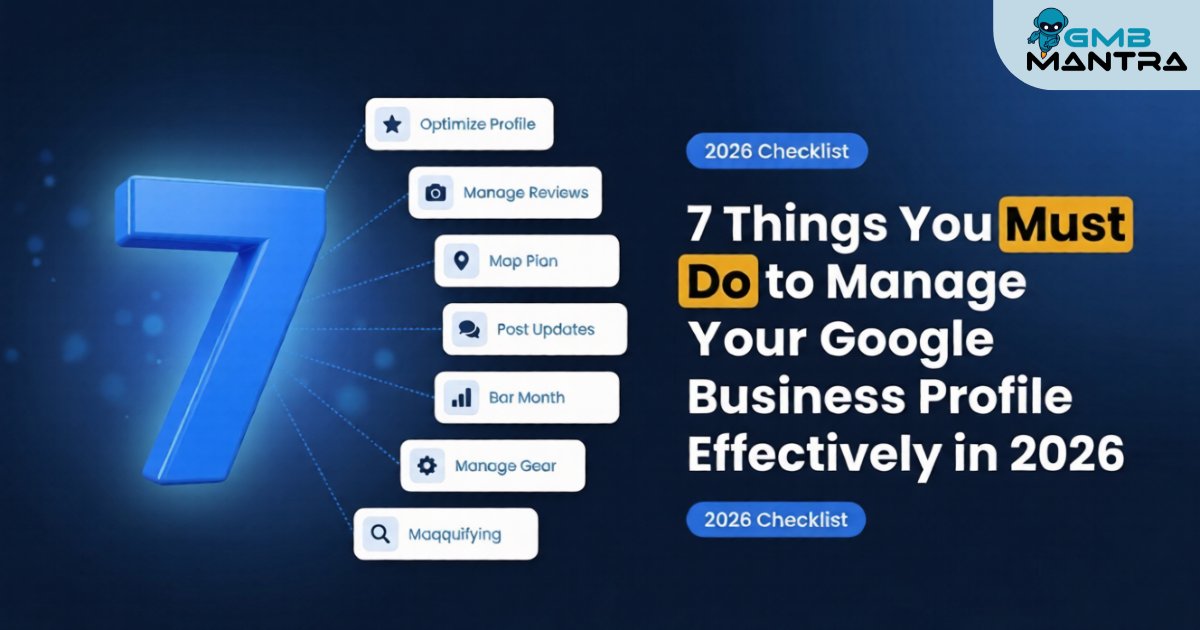
7 Things You Must Do to Manage Your Google Business Profile Effectively in 2026
Last month, I watched a client's profile vanish from Google Maps overnight. No warning, no email, no explanation. Three years of reviews, posts, and photos—gone. The culprit? A single digit in their phone number had drifted on a third-party citation six months ago, and citation drift finally triggered what the community calls a ghost suspension. I spent two days rebuilding what should've never broken.
That experience is exactly why I'm writing this. By the end of this guide, you'll have a concrete, phase-by-phase system to manage your Google Business Profile so it ranks, converts, and doesn't randomly disappear on you.
Before You Start: The Pre-Flight Check
You need three things locked down before touching anything:
- Access to your GBP dashboard (owner-level, not manager)
- Your real-world NAP—name, address, phone—verified against your physical signage
- A competitor list (even just your top 3 local rivals)
Stop/Go test: Can you log into your GBP Manager right now and confirm your listed phone number matches your storefront sign exactly? If not, stop here and fix that first.
The 7-Phase Execution Plan
1\. Claim Every Field and Complete Your Profile—No Shortcuts
I know this sounds basic. It's not. Profiles with complete fields see 2.7x more views than incomplete ones, and in 2026, Gemini is parsing every data point you provide. Leaving your service descriptions vague or your hours partially filled isn't just lazy—it's actively costing you visibility.
Go through every single field: business name (exact match to signage, no keyword stuffing), address, phone, website, hours, special hours, service areas, and the description. Fill in your structured service data using short, declarative sentences. Gemini repeats them verbatim in SERPs, so write them like you're scripting your own AI answer.
Visual checkpoint: When you're done, search your business incognito. You should see a fully expanded knowledge panel—no grayed-out sections, no "Add missing information" prompts from Google.
Verification: If any field shows a suggestion from Google to "confirm" or "update," your profile isn't complete. Go back.
2\. Nail Your Primary and Secondary Categories
Your primary category is the single biggest ranking factor in local search. I've seen businesses stuck on page two for months, and the fix was swapping "Restaurant" to "Seafood Restaurant." That's it. One change.
Here's what I do: search your main keyword incognito, open the top 3 competitors' profiles, and note their categories. You can spy on these via "Suggest an edit" on their listings. Pick the most specific primary category that honestly describes your business. Then stack 2-4 secondary categories that match actual services you offer.
Visual checkpoint: Your categories should display hierarchically in your dashboard. If you're a "Golf Resort," Google auto-implies "Hotel"—you don't need to add both.
Verification: Search "\[your service\] near me" in incognito. If you're not showing in the local pack within 48 hours of a category change, your primary category still isn't specific enough.
3\. Upload Real Photos and Videos—Weekly
Vision AI in 2026 isn't playing around. It detects stock photos with roughly 90% accuracy, and when it flags yours, your trust signals tank. High-res photo profiles outperform by 42% in conversions. That's not a rounding error.
Upload 20-30 original, geotagged images to start. Then add 2-3 fresh photos weekly—interiors, team shots, product close-ups. Vision AI auto-categorizes these and uses them for better service parsing. Shoot a quick 360° video tour if you operate from a physical location. (This also serves as proof of physicality if you ever get flagged for a virtual office crackdown.)
Visual checkpoint: In your GBP Insights, check that Vision AI has tagged at least 80% of your uploads. You'll see labels like "Interior – 2026" or "Product."
Verification: If tags aren't appearing on the majority of your photos, replace whatever isn't getting recognized. It's probably too dark, too generic, or too staged.
4\. Post Updates Weekly with a CTA Button
Here's a stat that should change your behavior: weekly posts boost clicks by 35%. And yet, 70% of profiles have no posts in the last 30 days. That's your competitive gap.
Post cadence matters more than post perfection. Aim for twice weekly. Front-load your keywords within the first 80 characters—that's what Gemini parses first. Always use the built-in CTA button (Book, Call, Learn More). Do not type phone numbers into the post text. Google's system auto-rejects posts with text-based phone numbers. I learned this the hard way after three rejected posts in a row.
Visual checkpoint: Published posts should show an orange "Engaged" icon and be visible within 24 hours. Check in incognito.
Verification: If a post gets zero impressions within 24 hours in Insights, your text is either too long, contains a flagged element, or your CTA is broken. A/B test with a shorter version.
> Streamline Your GBP Posting Workflow If managing post schedules, CTA testing, and performance tracking across locations sounds like a full-time job—it kind of is. We built GMBMantra to handle exactly this: AI-powered post creation, scheduling, and analytics from a single dashboard, so you can maintain post cadence without the manual grind.
5\. Respond to Every Review and Moderate Q&A Daily
Review sentiment velocity is now weighted heavier than star count alone. Google cares about how fast you respond and what you say. Review-engaged businesses rank 1.58 positions higher on average.
Reply to every review within 24 hours. For negative ones, acknowledge the issue and offer a resolution—don't get defensive. Use templates to maintain velocity, but personalize each one enough that it doesn't read like a bot.
And patrol your Q&A section daily. Competitors plant fake questions—it happens in about 80% of unmonitored profiles. Delete fakes, post your own Q&A pairs with accurate answers, and seed the section with the questions your customers actually ask.
Visual checkpoint: Your review section should show recency badges on recent replies. Q&A should have zero unanswered or suspicious entries.
Verification: Check your sentiment score trend in Insights after a week of consistent replies. If it's flat or declining, your response templates need work.
6\. Audit NAP Consistency and Hours Every Single Week
This is the one that got my client's profile killed. NAP consistency across your GBP, website, and all citations has to be exact. A 1% drift—a suite number format difference, an old phone number on Yelp—can trigger algorithmic demotion or worse. Data shows 68% of suspensions trace back to NAP inaccuracies.
Set a weekly 15-minute audit. Search your business name across Google, Yelp, Apple Maps, and your top industry directories. Use citation management tools like BrightLocal or Moz Local to bulk-sync. Update special hours for every holiday before it hits—outdated hours mislead 25% of searchers and generate the kind of complaints that trigger reviews.
Visual checkpoint: Your incognito search result should show identical NAP to your signage and website. No "Suggest an edit" prompts from users.
Verification: If any aggregator shows different data, fix it at the source and request a re-crawl. Don't wait.
7\. Add Structured Services, Attributes, and Schema-Linked FAQs
This is where most businesses stop short, and it's where the biggest gains hide. Your attribute stack—pet-friendly, wheelchair-accessible, outdoor seating—captures long-tail queries that your competitors ignore. Add every honest attribute.
Then build a FAQ page on your website with LocalBusiness Schema markup. This becomes Google's "official script" for AI-generated answers. Use Schema.org's validator to check your markup before publishing.
Visual checkpoint: Attributes display as chips on your profile. FAQ answers should start appearing in AI-generated SERP snippets within 2-4 weeks.
Verification: Search a long-tail question from your FAQ in incognito. If Gemini isn't pulling your answer within a month, your schema has parsing errors.
The Ugly Truth: Ghost Errors That Nobody Warns You About
Problem | The Weird Fix | Where It Comes From |
|---|---|---|
Profile vanishes from Maps | Bulk-sync citations via data aggregators, then "Suggest Edit" reinstatement | NAP drift across directories |
Posts auto-rejected silently | Remove phone numbers from text; use built-in "Call Now" CTA only | Google's text-scanning filter |
Suspension with no notice | Upload 360° video tour + utility bill for PIN re-verification | Virtual office or shared address flag |
Competitor-planted fake Q&A | Delete, add owner-verified answers, monitor daily | Unmoderated Q&A sections |
Frequently Asked Questions
How long does Google Business Profile optimization take to show results?
Expect visibility gains in 7-14 days and ranking improvements in 4-6 weeks. Real ROI from leads compounds over 3-6 months with consistent posting and review engagement. There are no quick wins—especially with AI enforcement tightening in 2026. Use rank tracking tools from GMBMantra to measure progress weekly.
Is it worth doing GBP management manually or should I automate?
Manual works for a single location if you're disciplined. For multi-location businesses or anyone who can't commit to weekly audits, automation through local SEO tools like GMBMantra saves hours and catches citation drift and review velocity drops that humans miss.
How do I handle competitor analysis for my Google listing?
Search your top keywords incognito, study competitor categories and attributes via "Suggest Edit," and track their posting frequency. GMBMantra's competitor analysis features automate this with keyword heatmaps and trend visualization so you're not doing it manually every week.
What's the biggest mistake when trying to update a Google Business Profile?
Keyword-stuffing your business name. Google's crackdown is aggressive in 2026—your name must match your real-world signage exactly. If you've been penalized, appeal with a photo of your storefront sign. For ongoing GBP management best practices, set up alerts for any unauthorized edits.
Full optimization yields results in weeks, not days. But the businesses that commit to these 7 things consistently are the ones dominating the local pack right now. If you want to manage your Google Business Profile without it becoming a second job, GMBMantra is where I'd start.
